

Air Fryer technology is changing how people cook, combining crisp results with convenience for busy kitchens and smart homes. If you’re considering a smart air fryer or upgrading your current model, here is what you need to know about features, growth trends, hands-on tips, and what to realistically expect.
Key Takeaways
- The smart air fryer market is expanding rapidly, driven by demand for app control, voice integration, and health-focused cooking.
- Not all smart features work seamlessly; learn about real-world issues and how to avoid them before you buy.
- Simple, practical steps help you get the most out of your air fryer, with extra tips for troubleshooting and smarter cooking.
The Core Concept
A smart air fryer is a modern kitchen device that uses rapid air circulation for frying with little or no oil. The latest models add Wi-Fi or Bluetooth app control, voice assistant integration, and dual-zone options for multitasking. These features aim to deliver healthier meals, minimal cleanup, and hands-off convenience.

The global market for air fryers is projected to grow significantly, expected to reach $1,218 billion by 2026. Recent studies point out that smart, app-enabled, and multi-functional air fryers now make up over 35% of new sales, with 30% expected to have voice assistant controls like Alexa by 2025. This growth is fueled by consumer demand for healthier cooking, time savings, and seamless integration with other smart home devices.
If your home setup already includes Matter compatible devices or you’re aiming for a more autonomous smart home using Agentic AI, choosing a smart air fryer that works well with these ecosystems can make a noticeable difference in daily convenience.
Step-by-Step Guide
Upgrading to a smart air fryer isn’t complicated, but getting maximum value means a bit of planning and know-how. Here’s a realistic, actionable process that covers the entire journey—from selection to first use and troubleshooting.
- Assess your needs and counter space. Dual-zone and multi-functional models like the Ninja Combi save space and let you cook two dishes at once, but require more vertical clearance. Measure your space before you buy.
- Research feature compatibility. Make sure your smart air fryer app supports your phone’s OS (iOS/Android), and that it specifies compatibility with voice assistants you actually use. Integration with AI ovens and future smart platforms like Matter is becoming more valuable.
- Review energy efficiency. Energy-efficient air fryers will make up 40% of the market by 2026 (source). Look for wattage between 1400–1750 watts for most uses. If your energy bills are a concern, focus on models advertising eco or energy-saver modes.
- Complete app setup carefully. Connect the air fryer to your home Wi-Fi following the instructions. If possible, use your router’s guest network. Watch for prompts to update device firmware right after setup—this solves most connectivity hiccups.
- Customize presets and create routines. Save your favorite recipes and temperature settings for fast future use. Automate preheating or reminder notifications via the app.
- Test the voice assistant. Run basic commands (e.g., “Alexa, start the air fryer on Chicken mode”) to confirm it works. Some features may only be available via app, not voice.
- Establish a cleaning routine. Most baskets/drawers are dishwasher safe, but always check for nonstick wear. Set reminders to empty grease trays after each use.
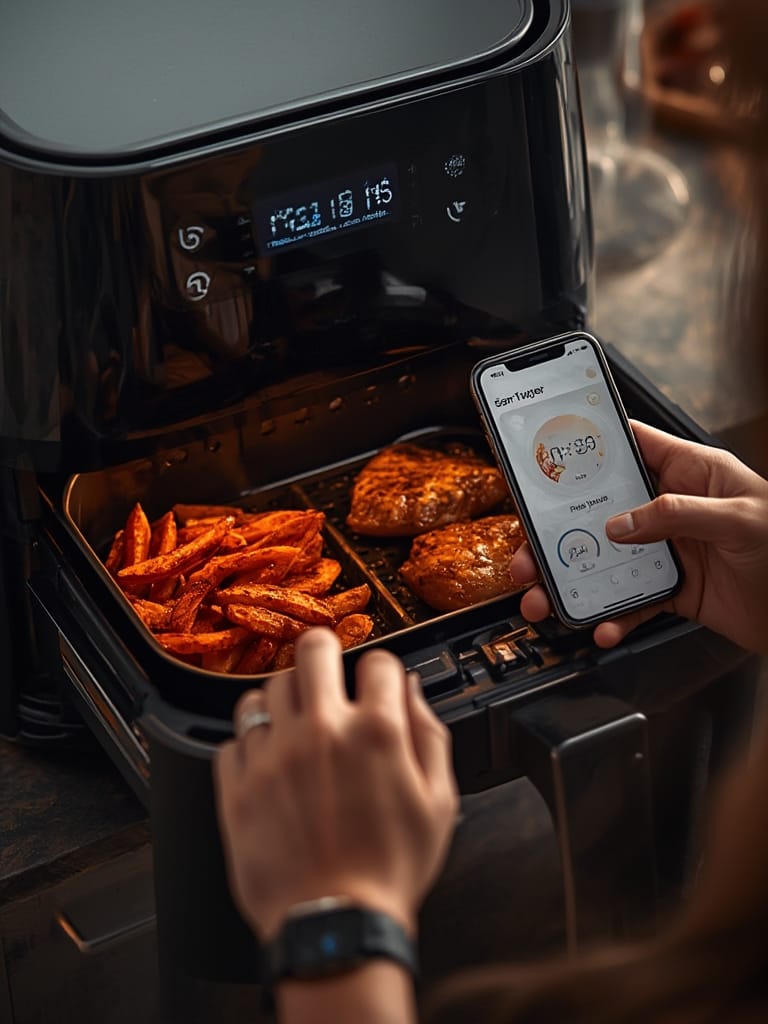
If you plan to connect the air fryer through a unified smart home platform such as Matter, refer to our Matter compatible devices list for setup instructions and compatibility advice.
Smart upgrades are about making healthy cooking routine—more than half of all air fryer buyers now seek multitasking models for time savings and less exposure to oils (study).
Advanced Analysis & Common Pitfalls
Smart air fryers are easy in concept but don’t always work perfectly. Below are the most frequent issues and realistic downsides to expect based on current technology and user feedback.
| Feature | Potential Pitfall | How to Address |
|---|---|---|
| Wi-Fi/App Connectivity | Setup often fails if your network uses 5GHz or hidden SSIDs. Older routers may cause dropouts. Some apps may not support all phone models. | Use 2.4GHz Wi-Fi. Update firmware right away. If issues continue, try a guest network or contact support. |
| Voice Assistant Integration | Alexa or Google Assistant sometimes only support basic commands. Multi-user voice access is rarely available. Some features locked behind paywalls or app updates. | Read user reviews before buying. Look for frequent app/software updates from the manufacturer. |
| Firmware and App Updates | No clear update process in manuals; notification delays can cause missed improvements or bug fixes. Some updates require resetting Wi-Fi. | Enable auto updates in the app. Check for updates monthly on the manufacturer’s website or app settings. |
| Compatibility with Smart Homes | Older Wi-Fi networks, obsolete routers, or unsupported smart home platforms (e.g., older Zigbee/Hue hubs) can block setup. | Consult a detailed guide on smart appliance protocols—see our resource on how to set up Matter smart home networks. |
| Dual Zone Models | Confusing controls and cleaning (food smells can linger if baskets not cleaned after each use). Cooking two dishes may require different times/temps. | Consult app recipes. Clean baskets after each session. Use parchment liners for easier cleaning. |
Also, while many buyers are attracted by the idea of energy efficiency, manufacturers rarely publish actual energy comparisons or privacy policies for app-enabled models. If privacy is important or your router is older, look for models that don’t require constant cloud connections or work with local smart hubs only.
Some features like multi-user access or compatibility with agentic AI (predictive home automation) remain rare. If you need your air fryer to fit into a broader autonomous smart home setup, research carefully or expect to update devices as standards evolve.

Conclusion
Smart air fryers are one of the easiest ways to bring convenience and healthier meals to your kitchen, with the added benefits of app and voice control. Carefully choosing the right model and understanding common pitfalls are crucial for a smooth upgrade. As smart home standards like Matter protocol and food recognition features become mainstream, future-proofing your setup now is practical. Make the most of your Air Fryer with the tips above—compare models, troubleshoot smart features early, and enjoy quick, delicious results.
Ready for healthier meals and smarter cooking? Browse leading smart air fryer models today and use our smart home guides for setup tips and best practices.
FAQ Section
Do all smart air fryers support Alexa or Google Assistant?
No, not all models support both. By 2025, about 30% of new air fryers are expected to feature voice assistant controls. Always check the product listing for compatibility before purchase.
Is it safe to connect an air fryer to my Wi-Fi network?
Yes, but use strong passwords and keep the device firmware updated. Some users prefer a guest Wi-Fi network for extra security. No major privacy risks have been widely reported for air fryer apps as of 2024.
What should I do if my smart air fryer won’t connect to Wi-Fi?
First, confirm your Wi-Fi is 2.4GHz, not 5GHz. Move the air fryer closer to your router. Restart both devices and retry the setup. If it still fails, consult the manufacturer’s support resources or reset the air fryer’s Wi-Fi.
Can I use a smart air fryer with older smartphones or routers?
Most apps support recent versions of iOS and Android, but connection issues may occur with outdated phones or routers. Check app requirements and ensure your router firmware is up to date for best performance.
What is the benefit of a dual zone smart air fryer?
Dual zone air fryers let you cook two dishes separately with independent temperature and timing controls. This is convenient for families or multitasking, especially if managed through routines in the app.